
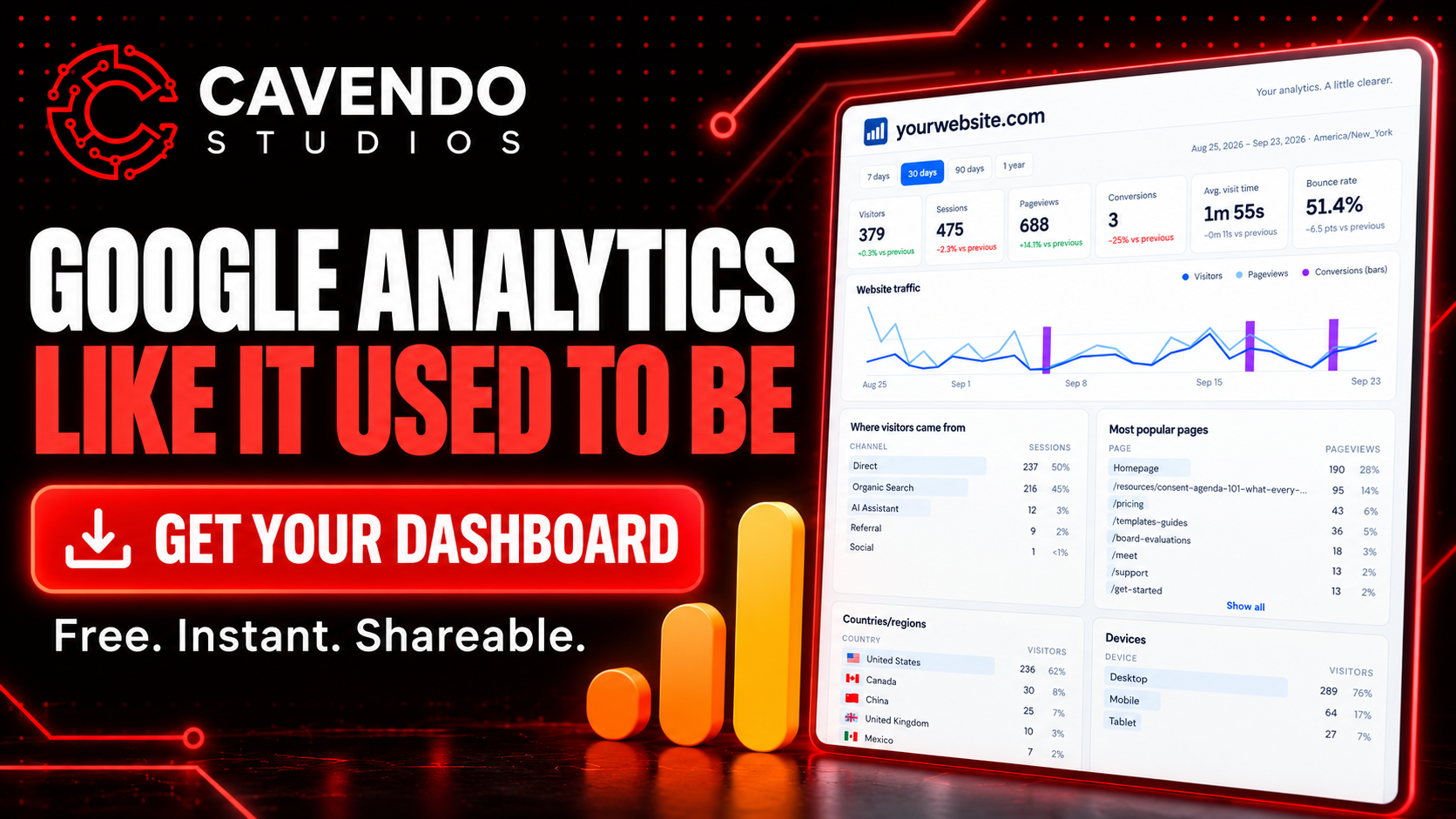
Remember when Google Analytics was one screen? You opened it and knew what was happening.
GA4 changed that. It’s powerful, but simple answers now take menus, reports, and a lot of clicking. And for anyone who manages websites for clients, sharing those answers means Google account access or monthly screenshots.
We’d been working around this with our own clients for a while, so we turned the workaround into a product: ezStats Simple. It’s free.
Connect Google Analytics, pick your site, and you get a clean, one-page dashboard: traffic, conversions, where visitors come from (including AI assistants), top pages, devices, and optionally your Google Search Console search terms. Click any row to filter everything. Then share it with one link. Your client never has to log into anything.
It’s also our front door. ezStats Simple runs on the same engine as ezStats, our full analytics platform for SEO and AI visibility. If you want more, you can switch. If not, keep GA4 and use Simple as long as you like.
In this episode
0:00 Intro
0:10 Google Analytics, then vs. now
0:29 Meet ezStats Simple
0:48 Traffic chart and key metrics
1:12 Sources, devices, and Search Console
1:34 Sharing with clients and your team
1:50 Click to filter anything
2:22 Keep GA4, or switch to ezStats
2:51 Managing multiple sites
3:05 Wrap-up
Follow Cavendo Studios as we build real software in public.
Share this article

Jonathan Arehart
Founder at Cavendo. In 2000, I started Cavendo building websites. Today, we build practical AI and software systems that help businesses work smarter.